



A World worth staying for
Not a season to rush through, but a world to grow into.
 Macro Bot System
GEMINI SILKROAD
Macro Bot System
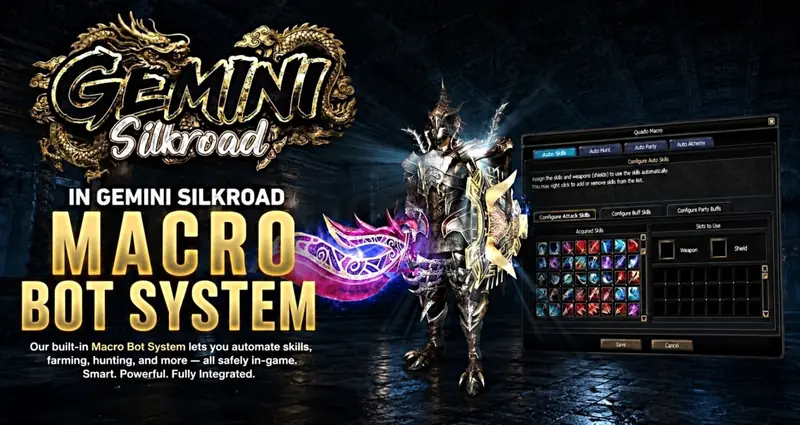
Spend more time progressing with Gemini’s built-in Macro Bot. Configure your combat skills, buffs, hunting, party settings, and alchemy through one integrated in-game interface.
01 Auto Skills
Set up attack skills, personal buffs, and party buffs, with weapon and shield configurations to match your build.
02 Auto Hunt
Automate hunting and farming using your preferred settings.
03 Auto Party
Manage automated party actions through the dedicated party settings.
04 Auto Alchemy
Configure automated alchemy through its own dedicated tab.
Customize your setup, save your configuration, and manage everything directly inside the game—without a separate bot application.
Set up the built-in Macro Bot
Start with Auto Skills: choose the attack skills and buffs appropriate to your character. Review the weapon and shield configuration alongside those skills.
Review Auto Hunt before beginning a farming session. Choose the hunting settings you want rather than relying on a configuration from another character.
Use Auto Party for the party actions you need. Check personal buffs and party buffs separately so your setup matches your role.
Configure Auto Alchemy in its dedicated tab only when you intend to use it. Save your configuration and observe the first actions to check that they match your choices.
Questions before you start
Do I need a separate bot application?
The published Gemini system is integrated into the game. Its skills, hunting, party and alchemy controls are managed through the built-in interface.
Does one setup suit every character?
Choose skills, buffs and equipment settings for your own build. Review the saved setup after changing your skills or equipment.
Related guides
New to the server? Read Getting started with Gemini and server information.
 Auto Caravan System
GEMINI SILKROAD
Auto Caravan System
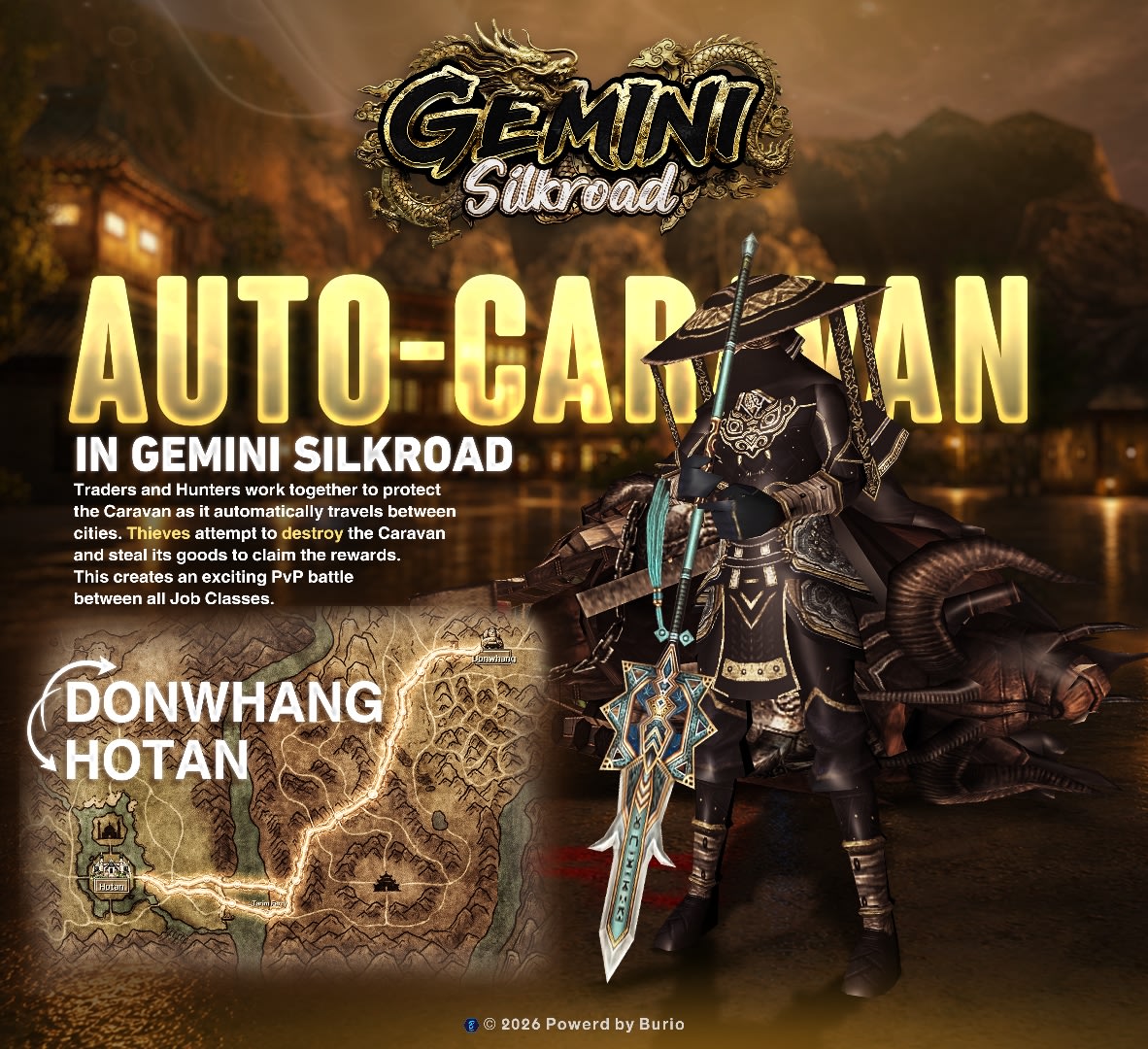
Join the battle along the Silk Road. An automated caravan travels between cities, bringing Traders, Hunters, and Thieves together in open-world job combat. Protect its cargo or attack it for goods, and earn rewards through Hunter and Thief kills.
01 Changing Trade Routes
The caravan automatically travels between Jangan, Donwhang, and Hotan. Its route varies between runs, including journeys such as Donwhang to Jangan or Donwhang to Hotan.
02 Defend the Caravan
Traders and Hunters work together to escort the caravan, defend its cargo, and fight off Thieves along the journey.
03 Raid for Goods
Thieves attack the caravan to make it drop goods. Break through the defenders and seize the dropped cargo.
04 Job Kill Rewards
Hunters earn a reward for each Thief they kill, and Thieves earn a reward for each Hunter they kill. Every clash gives both sides a reason to fight.
Choose your side: escort the caravan, protect the trade route, or raid its cargo. The journey is automatic—the battle is yours.
Join an Auto Caravan run
Choose the role you want to play. Traders and Hunters defend the caravan; Thieves attack it for dropped trade goods.
Identify the route for the current run. The published routes connect Jangan, Donwhang and Hotan, and can change between journeys.
Coordinate with other players before the fighting begins. Defenders protect the cargo along the route, while attackers try to break through the escort.
Watch the battle as well as the caravan. The published system includes rewards for Hunters killing Thieves and Thieves killing Hunters; no reward amount is specified in this guide.
Questions before you start
Is the route always the same?
No. The route varies between runs; the existing guide gives Donwhang to Jangan and Donwhang to Hotan as examples.
Does automatic movement mean the run is safe?
No. The caravan moves automatically, but defending and raiding it involve player combat.
Related guides
New to the server? Read Getting started with Gemini and server information.
 Trio Job System
GEMINI SILKROAD
Trio Job System
Three jobs. One character. The freedom to choose. Experience every side of the Silk Road as a Trader, Hunter, or Thief, and change your role simply by changing your job outfit.
01 Switch Jobs Freely
Equip the Trader, Hunter, or Thief outfit to take on that role. Switch whenever you want without registering for another job, creating a new job alias, or waiting through a job-change penalty.
02 Trader — Move the Goods
Buy trade goods and transport them between cities. Work with Hunters to protect your cargo from Thieves along the route.
03 Hunter — Protect the Trade
Escort Traders, defend their cargo, and fight Thieves. Keep the trade routes protected and help caravans reach their destination.
04 Thief — Raid the Routes
Ambush Traders, challenge their Hunter escorts, and steal trade goods. Choose your moment to attack and take control of the cargo.
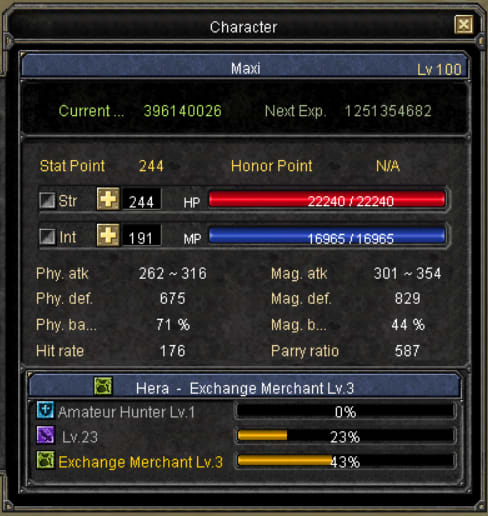
Your job panel displays the levels and progress of all three professions in one place. Trade, protect, or raid—choose the role you want to play.
Choose your job role
Equip the outfit for the profession you want: Trader, Hunter or Thief. The published system allows role changes through outfits without a new job registration, alias or job-change waiting penalty.
As a Trader, buy trade goods and transport them between cities. Arrange protection with Hunters before setting out.
As a Hunter, escort Traders and defend cargo against Thieves. As a Thief, raid the route and challenge the escort to take trade goods.
Use the job panel to review the levels and progress of all three professions on your character.
Questions before you start
Do I need three characters for three jobs?
The published Trio Job System lets one character experience all three professions by changing the job outfit.
How does this connect to Auto Caravan?
Auto Caravan provides a moving trade target: Traders and Hunters defend its cargo and Thieves raid it. Read the caravan guide before joining a run.
Related guides
New to the server? Read Getting started with Gemini and server information.
 Silk Stall
GEMINI SILKROAD
Silk Stall
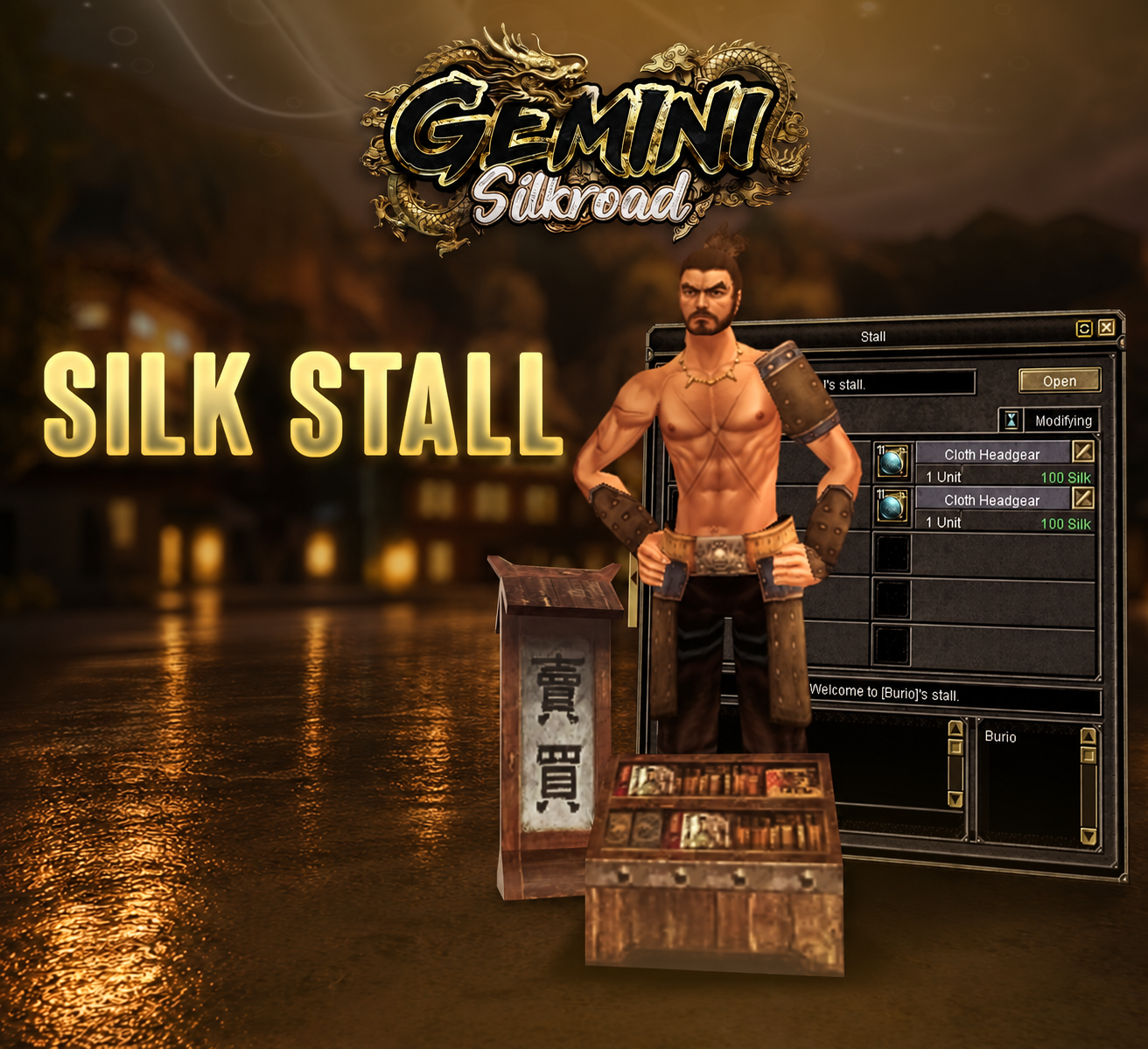
Buy and sell items directly through player stalls using Silk instead of Gold.
Sell for Silk
Place your items in a Silk Stall and set your prices. Earn Silk when other players buy them.
Buy with Silk
Browse other players’ Silk Stalls and purchase the items you need using your Silk balance.
Trade through a Silk Stall
As a seller, choose the items you want to list and set their prices in Silk. Review both the item and the amount before opening the stall.
As a buyer, browse a player's Silk Stall and inspect the listed item. Check that the price is in Silk rather than assuming it is a Gold price.
Review the purchase against your Silk balance before confirming it. The published system uses Silk directly for these stall transactions.
For questions about keeping a stall open after leaving the game, read the separate Offline Stall guide. Do not assume every stall mode has identical activation steps.
Questions before you start
Is Silk Stall the same as a Gold stall?
The key distinction in the published guide is the currency: Silk Stall uses Silk instead of Gold.
Is this an auction?
No. The described Silk Stall workflow uses seller-set prices. Auction House is a separate system where players bid.
Related guides
New to the server? Read Getting started with Gemini and server information.
 Battle Royale & League of Legends Events

GEMINI SILKROAD
PvP Events
Battle Royale
Fight other players in a survival battle. The last player standing wins.
League of Legends Event
A team battle inspired by League of Legends. Defend your base, destroy enemy towers, and push toward the enemy base to win.
 Party Voice Chat

GEMINI SILKROAD
Party Voice Chat
Talk directly with your party members through the in-game party window.
Stay Connected with Your Party
Coordinate fights, call for help, and plan your next move using built-in voice chat. No separate voice app needed.
 Original Pet buff system

GEMINI SILKROAD
Full Pet System
Experience the original Silkroad Online pet system, fully integrated into Gemini.
The Original Pet Experience
Enjoy the full original pet system on a vSRO server, right here in Gemini.
 Offline Stall
GEMINI SILKROAD
Offline Stall
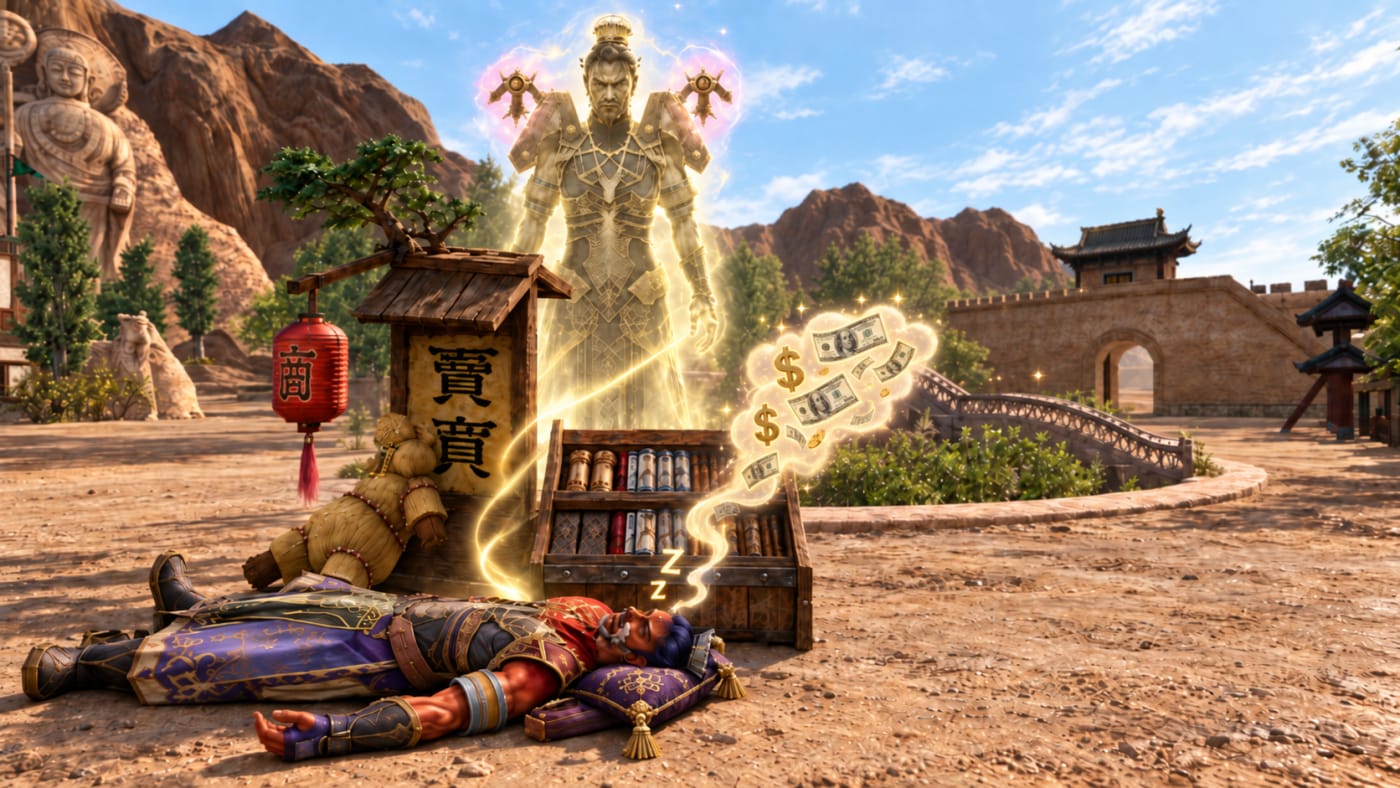
Keep selling your items while you are offline.
Sell While You’re Away
Set up your stall and activate Offline Stall mode. Your stall stays open for other players to buy from, even after you close the game.
Prepare a stall before going offline
Set up the stall with the items and prices you intend to offer. Check the listing before leaving the game.
Activate Offline Stall mode. Opening an ordinary stall and closing the client is not the activation sequence described in the existing guide.
After activating the mode, you can close the game while the stall remains available for other players to buy from.
If the mode does not activate, keep the exact in-game message and ask for help through the official community. This guide does not specify a fee, duration limit or special command.
Questions before you start
Does closing the game automatically activate Offline Stall?
The published instructions explicitly say to activate Offline Stall mode after setting up your stall.
How long does it stay open?
A duration is not specified in the published information. Check the in-game mode details or current announcements before planning a long absence.
Related guides
New to the server? Read Getting started with Gemini and server information.
 Auction House
GEMINI SILKROAD
Auction House
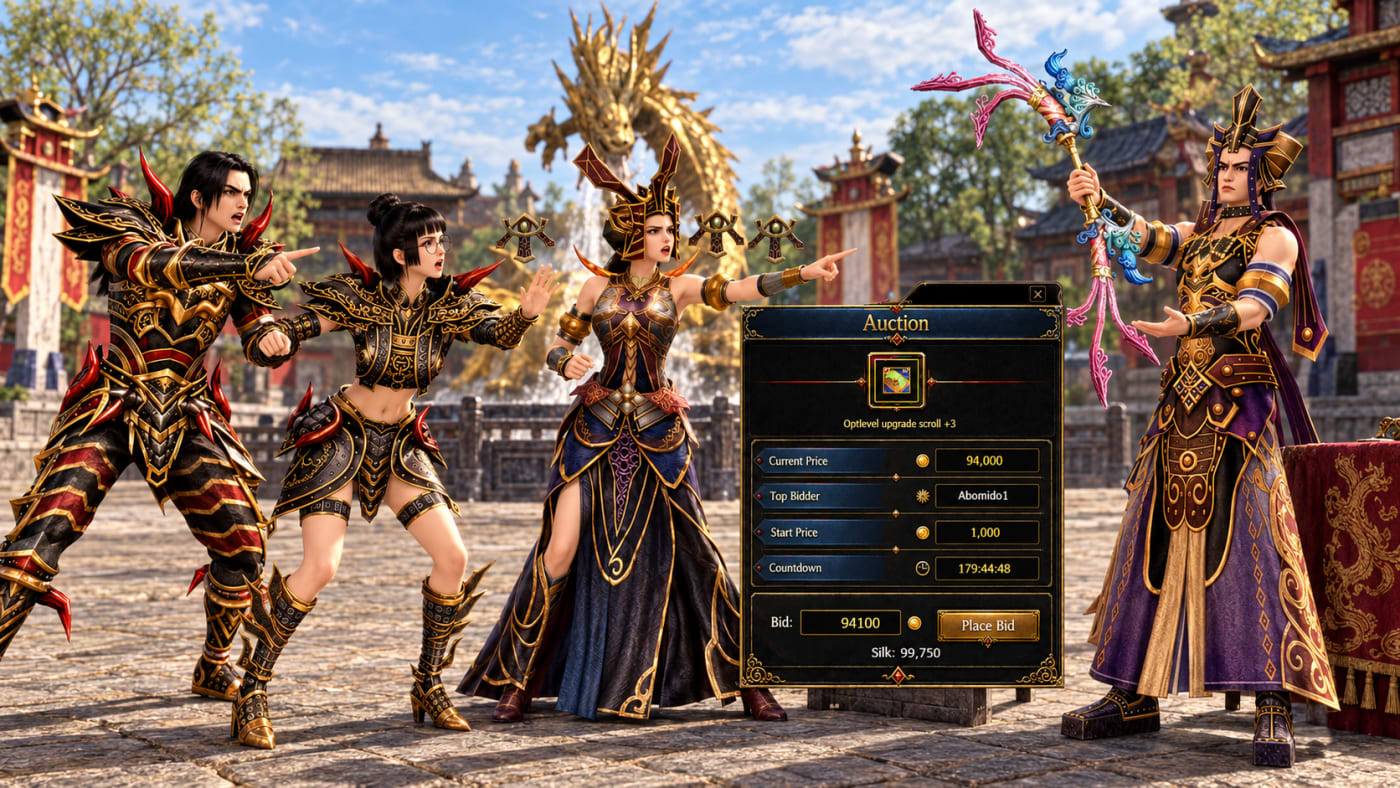
Bid on rare items through Gemini’s in-game Auction House.
Highest Bid Wins
Check the available items and place your bid before the auction ends. The highest bidder wins the item.
Review an auction before bidding
Check the available auction items and choose the listing you want to inspect.
Review the item and the time remaining before placing a bid. Decide what you are willing to spend before competing with other bidders.
Place your bid before the auction ends. A bid is not a guaranteed win while other players can still bid.
Check the final result when the auction closes. The published rule is that the highest bidder wins; this guide does not specify a collection method, fee or refund rule.
Questions before you start
Does placing a bid immediately buy the item?
No. The highest bidder wins at the end of the auction, so another player may outbid you before it closes.
How is this different from Silk Stall?
Silk Stall uses a seller-set Silk price. Auction House uses competing bids. Check the currency shown by the auction itself; do not assume it uses the same currency as Silk Stall.
Related guides
New to the server? Read Getting started with Gemini and server information.
 Guild Matching
GEMINI SILKROAD
Guild Matching
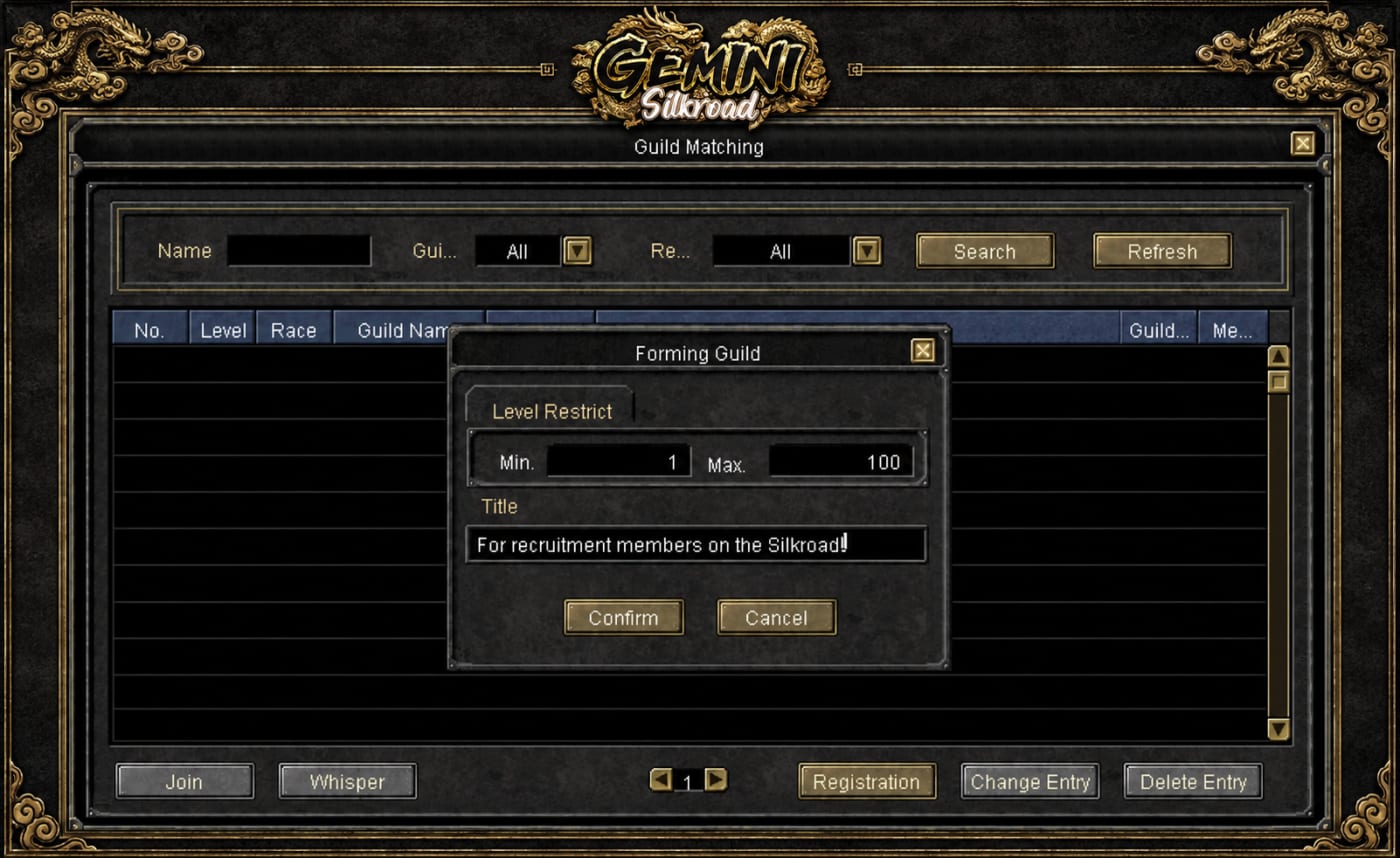
Find a guild or recruit new members through an in-game matching window, just like Party Matching.
Find a Guild
Browse recruitment listings and find a guild that suits you.
Recruit Members
Post your guild’s recruitment listing so players looking for a guild can find you.
 Silk Exchange
GEMINI SILKROAD
Silk Exchange
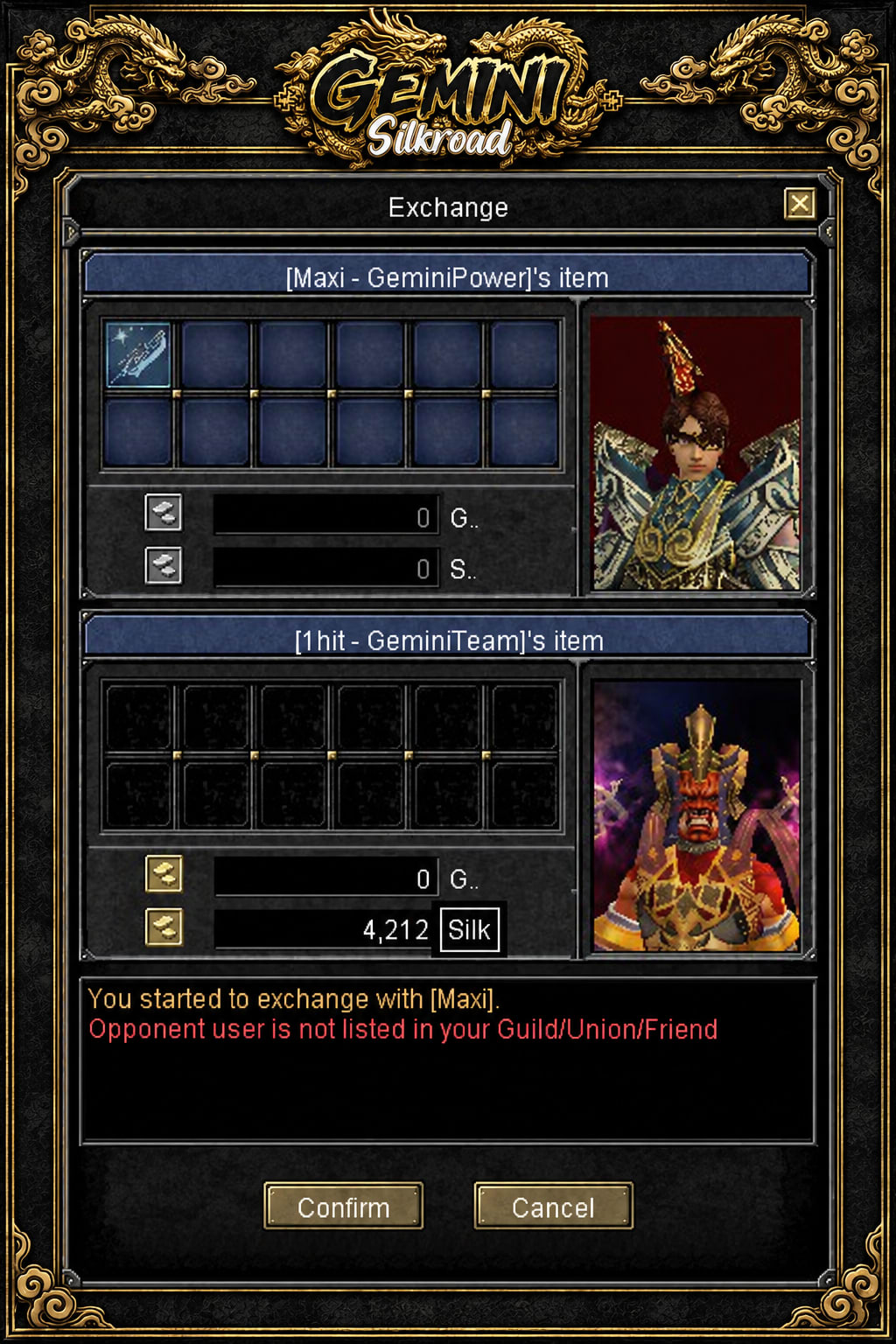
Trade items, Gold, and Silk directly with other players through the Exchange window.
Gold & Silk
Add Gold or Silk to your exchange and check the trade details before confirming.
 Season System

GEMINI SILKROAD
Season System
Collect Season Points, climb the rankings, and compete with other players and guilds.
Season Ranks
Progress through Bronze, Silver, Gold, Platinum, and Diamond as your points increase and get buffs .
Track Your Progress
Check your current points, your progress toward the next rank, and the player and guild leaderboards in-game.
 Battle Pass

GEMINI SILKROAD
Battle Pass
Complete daily tasks, level up your Battle Pass, and unlock rewards as you progress.
Level Rewards
Check each level’s rewards and claim them once unlocked. Reach higher levels to unlock special rewards.
Purchase Levels
Use Silk to purchase additional Battle Pass levels. The required cost is shown before you purchase.
 Affiliate System

GEMINI SILKROAD
Affiliate System
Invite players to Gemini and earn $200 for every 16 referred players who each collect 4,000 Season Points.
1. Invite Your Players
Share your personal referral link or code. Players who register through it are added to your affiliate list, allowing you to track their progress.
2. Each Player Reaches 4,000 Points
Every referred player must earn 4,000 Season Points individually to count toward your reward. Points are tracked separately for each player; they are not combined across the group.
3. Earn $200 for 16 Qualified Players
Once 16 players on your affiliate list have each reached 4,000 Season Points, you qualify for a $200 reward. The $200 is paid to the affiliate who invited them, for the completed group of 16.
Example
If you invite 16 players and only 15 reach 4,000 Season Points, your group is still incomplete. When the 16th player also reaches 4,000 points, the group qualifies for $200. A total of 32 qualified players earns $400.
 Spectate System

GEMINI SILKROAD
Spectate System
Watch live events in-game as a spectator and follow the action without joining the match.
Watch Live Matches
Use the Spectate window to watch an available ongoing event. Follow players as they compete and see the battle unfold in real time.
Supported Events
Spectating is available for Battle Arena and Capture the Flag (CTF), along with custom events enabled for spectating.
 Stall for $ - Market for Real money

GEMINI SILKROAD
Black Market
Buy and sell items with other players in USD through an in-game marketplace, similar to Network Stall.
1. Add Balance
Top up your account through the website or the server team using the available payment methods. Your market balance is used to purchase listed items.
2. Buy or Sell Items
List your items at a price in USD, or browse other players’ listings. Search by item name, class, type, or degree and purchase items using your balance. When your item sells, the sale amount is added to your market balance.
3. Request a Cash Out
Submit a withdrawal request to cash out your available balance through one of the supported payout methods.
Fees
Top-ups and cash-out requests may carry fees set by the server. Check the applicable rates before adding or withdrawing funds.
 Party Chat Link
GEMINI SILKROAD
Party Chat Link
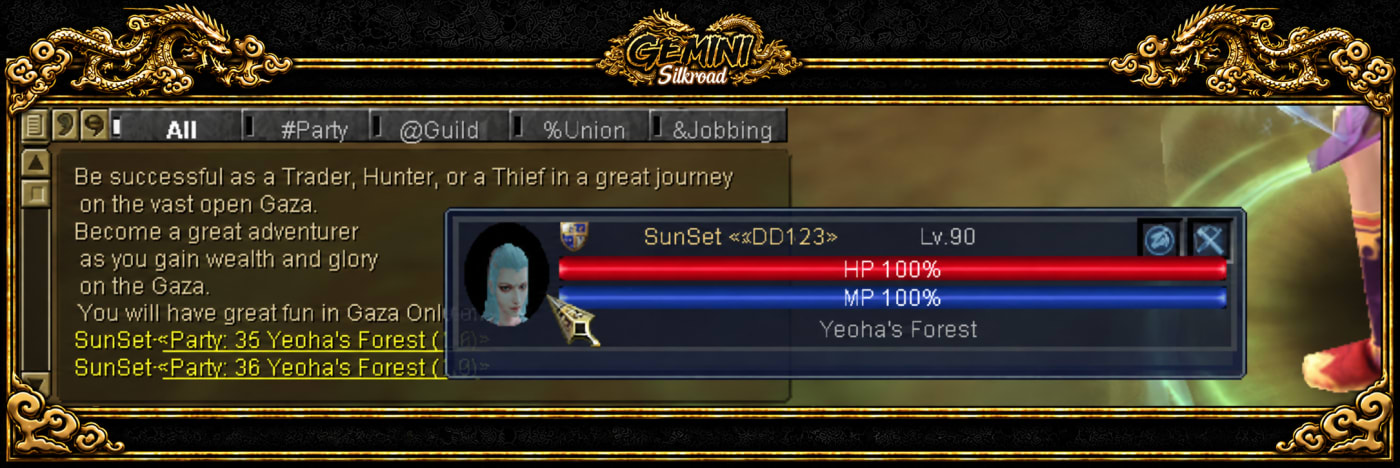
Share a party directly in chat so other players can view its members or request to join through the party link.
Share a Party
Hold CTRL and Left Click a party listing in Party Matching to link it in chat.
View Party Members
Left Click the party link in chat to see the party’s members.
Request to Join
Hold CTRL and Left Click the party link in chat to send a join request.
 Market Value
GEMINI SILKROAD
Market Value
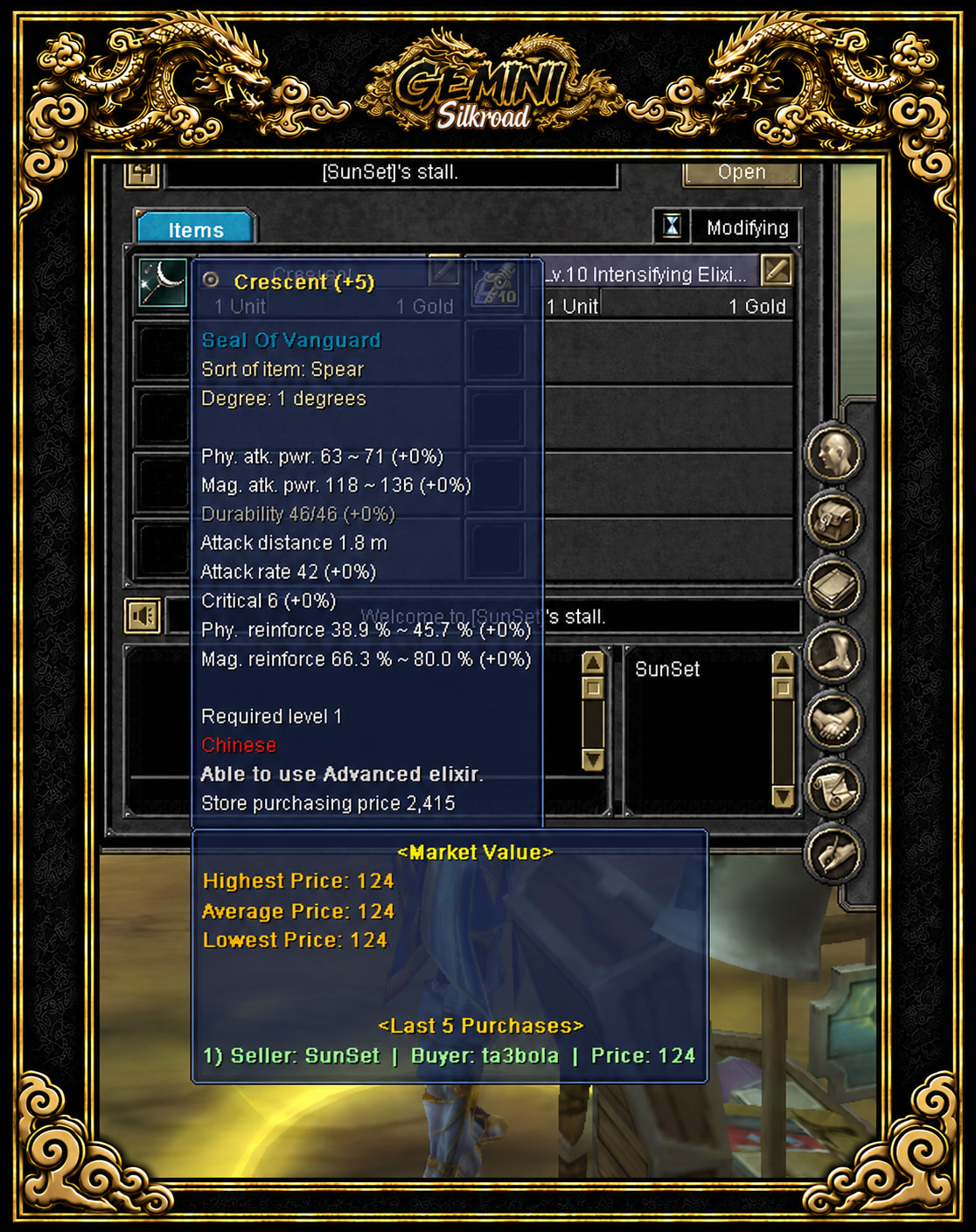
Check an item’s recorded sale prices to understand its market value before buying or selling.
Average, Highest & Lowest Prices
See the average purchase price, along with the highest and lowest recorded prices paid for the item. These figures help you compare an offer with previous sales.
Recent Purchases
View the item’s purchase history, including the latest buyer, to see who bought it and the prices paid.
Buy & Sell with Better Information
Use past sales as a guide when setting your selling price or deciding whether to buy. Recorded prices are a reference; the current price is still agreed between players.
 Upcoming Events Schedule
GEMINI SILKROAD
Upcoming Events Schedule
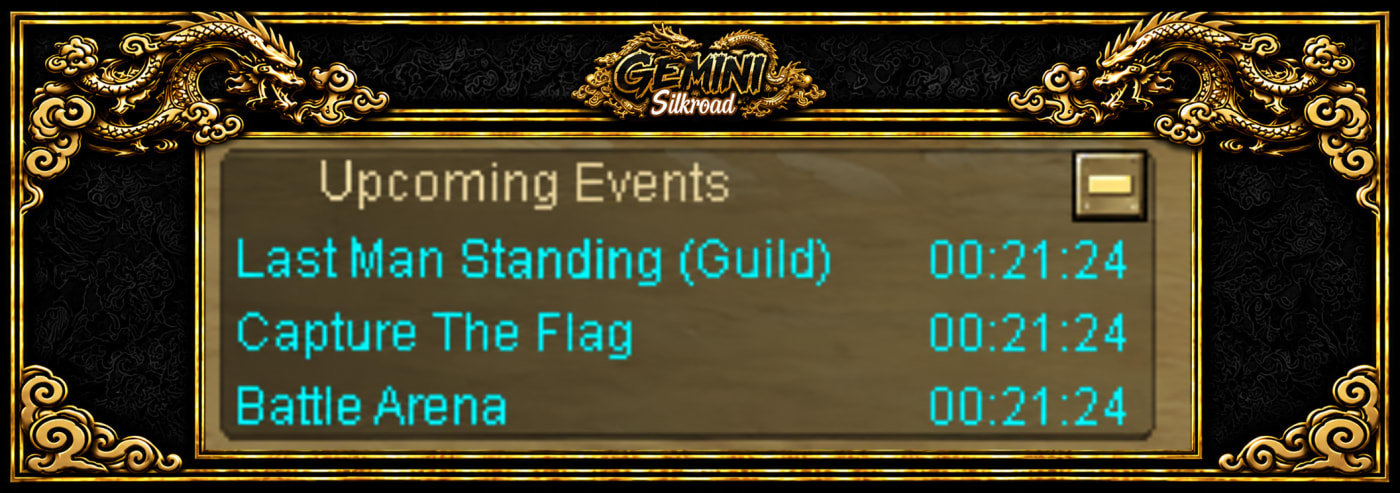
See the next three upcoming events and the time remaining until each one starts.
Live Countdown
The in-game Upcoming Events panel shows each event’s name and countdown, so you can get ready before it begins.
Use the in-game event countdown
Open the in-game Upcoming Events panel and read the names of the next three events.
Check the countdown for the event you want. This is the time remaining, rather than a fixed timetable copied from an old screenshot.
Prepare for that specific event by reading its rules and entry information. A listing in the schedule does not itself register your character.
Check the panel again before joining. Use official announcements for beta and launch dates rather than treating an event countdown as a launch announcement.
Questions before you start
How many upcoming events are shown?
The published panel displays the next three upcoming events, each with its name and time remaining.
Where can I learn about the daily duels?
The Daily 1v1 PvP and Unique guide explains the two queues, preparation countdown and winning conditions.
Related guides
New to the server? Read Getting started with Gemini and server information.
 Equalize System
GEMINI SILKROAD
Equalize System
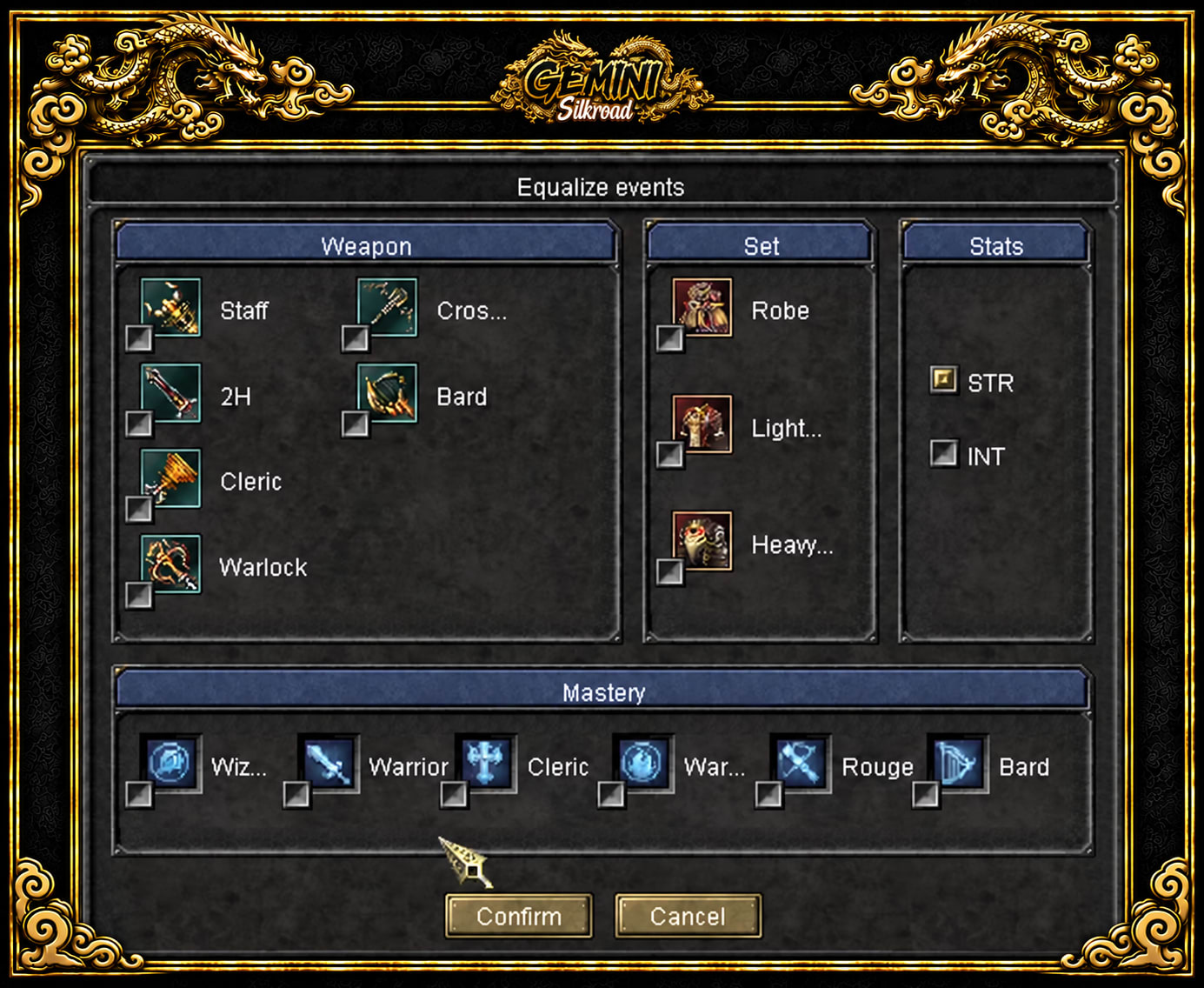
Choose your build and event equipment for events that use the Equalize System.
Choose Your Event Build
Select your preferred weapons, armor type, STR or INT stats, and masteries from the available event options.
Confirm & Play
Confirm your selection to use your chosen setup for the event. Try a different role or build without being limited to your regular character’s equipment.
 Special Item Viewer
GEMINI SILKROAD
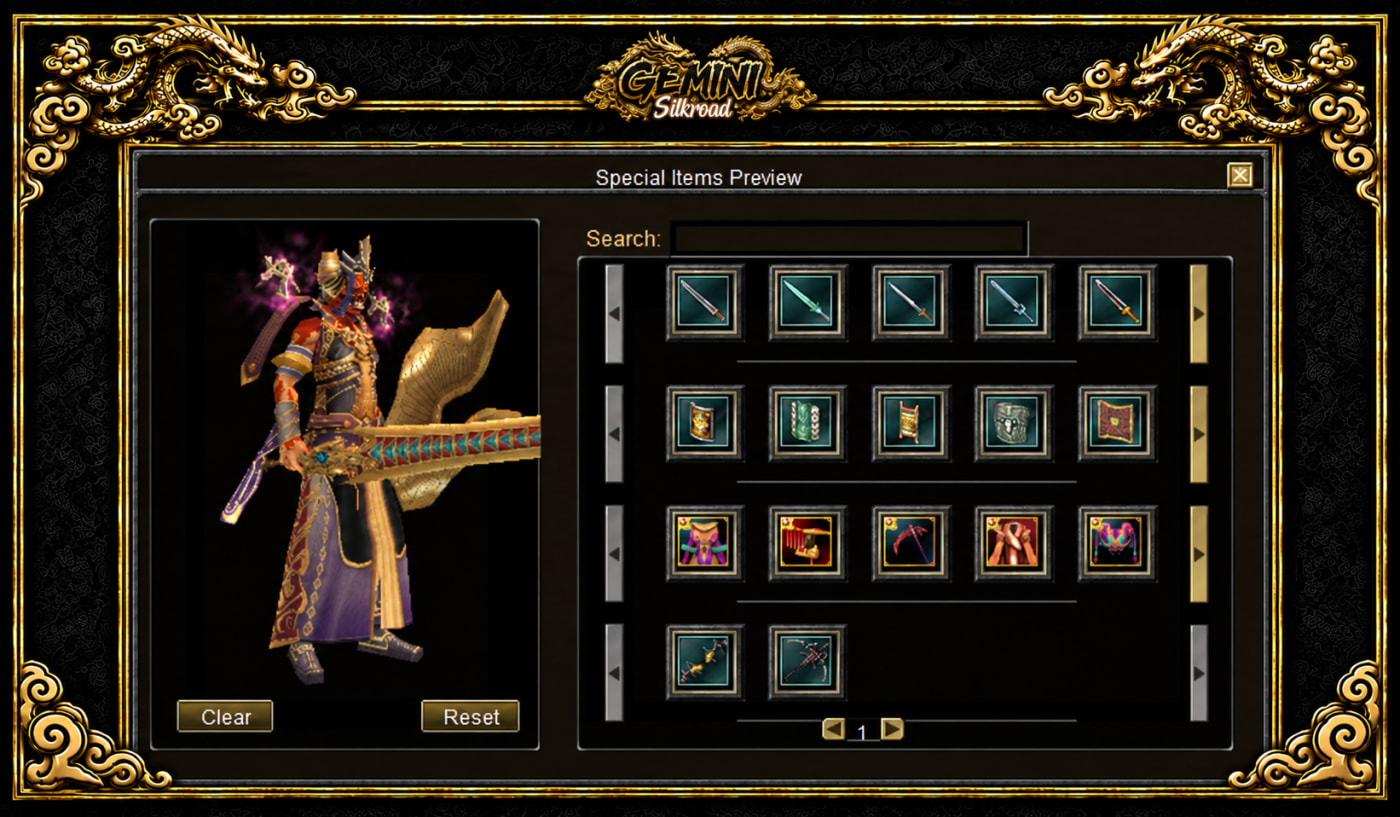
Special Item Viewer
Preview items, glows, effects, model switches, and avatars in-game to see how they look before choosing your style.
Preview Items & Avatars
Try different item and avatar appearances in the viewer and see how they would look on your character.
Explore Glows, Effects & Models
Preview different glows, visual effects, and model switches. Compare the available looks and find the style you prefer.
 Daily 1v1 - PvP & Unique

GEMINI SILKROAD
1v1 PvP - Unique
Challenge another player in a direct PvP duel or compete for the highest damage against a Unique. Each queue allows up to 5 entries per day.
Daily 1v1 PvP
Join the PvP queue to face another player in the arena. Once both players arrive, you have 10 seconds to prepare before the duel begins. Defeat your opponent to win the match.
Daily 1v1 Unique
Join the Unique queue to compete against another player. After a 10-second preparation countdown, a Unique monster appears. Both players compete to deal damage, and the player with the highest damage wins the round.
Rankings & Live Spectating
Wins and losses are recorded in the website rankings, and each match result is announced server-wide. Other players can watch the matches live using the Spectate option.
Event Rewards
Earn Honor, Battle Pass XP, and PvP Tokens through these daily events.
Choose a daily 1v1 queue
Choose PvP if you want a direct duel, or Unique if you want to compete on damage against a monster. The published limit is up to five entries per day for each queue.
Join the chosen queue. For PvP, both players arrive in the arena and have ten seconds to prepare before the duel begins.
In the Unique queue, a Unique monster appears after the ten-second preparation countdown. The player dealing the most damage wins that round.
Review the result after the match. The guide states that wins and losses appear in website rankings, results are announced server-wide and other players can use Spectate to watch.
Questions before you start
What is the difference between the two winning conditions?
PvP is won by defeating the opposing player. Unique is won by dealing the highest damage to the Unique monster.
Which rewards are described?
The existing guide lists Honor, Battle Pass XP and PvP Tokens. It does not specify the amounts or a distribution formula, so this guide does not promise either.
Related guides
New to the server? Read Getting started with Gemini and server information.
Enter the world
Everything you need to begin your journey in Gemini Silkroad.
 Windows

Download size: 2.5 GB

Gemini Silkroad for Android & iOS
Your first steps
- Create your account
One account for the game and the Gemini app.
- Download & install
Choose a client source, extract the files, then open the launcher.
- Enter Gemini
Sign in to the game and begin your journey.