GEMINI SILKROAD
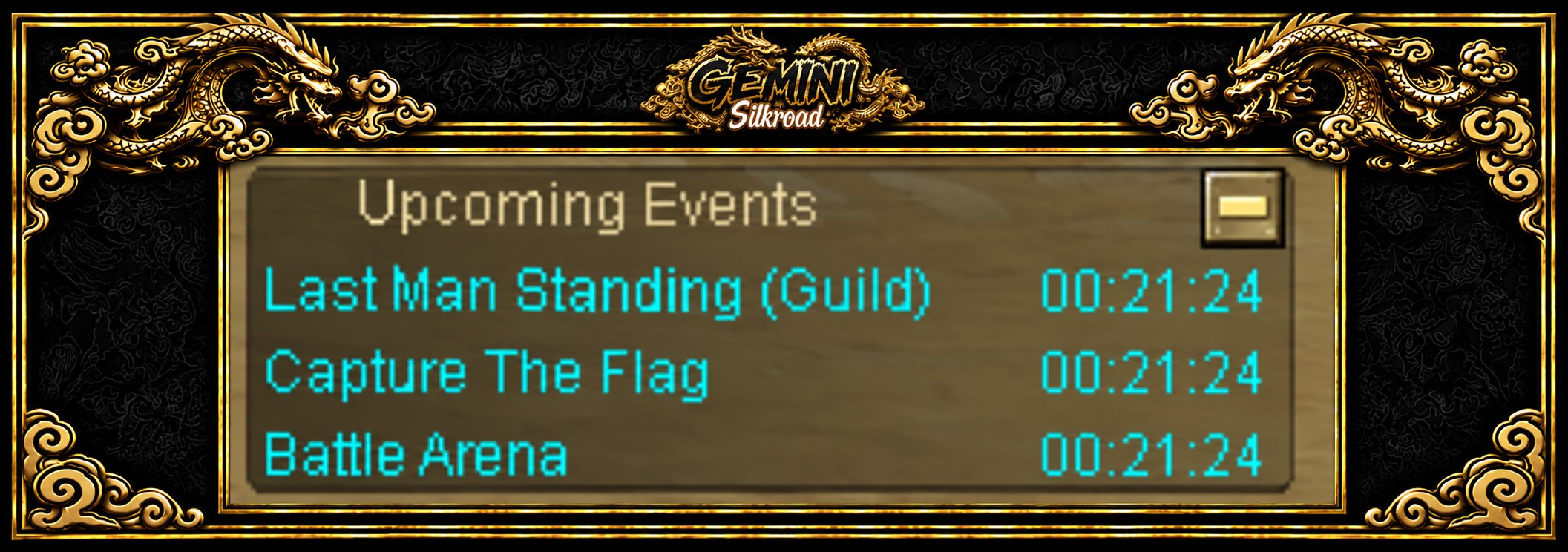
See the next three upcoming events and the time remaining until each one starts.
The in-game Upcoming Events panel shows each event’s name and countdown, so you can get ready before it begins.
Open the in-game Upcoming Events panel and read the names of the next three events.
Check the countdown for the event you want. This is the time remaining, rather than a fixed timetable copied from an old screenshot.
Prepare for that specific event by reading its rules and entry information. A listing in the schedule does not itself register your character.
Check the panel again before joining. Use official announcements for beta and launch dates rather than treating an event countdown as a launch announcement.
The published panel displays the next three upcoming events, each with its name and time remaining.
The Daily 1v1 PvP and Unique guide explains the two queues, preparation countdown and winning conditions.
New to the server? Read Getting started with Gemini and server information.
Top-ups open as soon as the server launches.